

Indoor TV is a screen installed in the store that plays a schedule controlled from the cloud. At a gas station with a convenience store, it is worth it — and it works with two screen positions doing two different jobs: one facing the street or the forecourt, with spots of about 10 seconds, to get people fueling out of their cars; and one inside the store, at the register and by the coffee area, to raise the ticket of whoever already walked in. The rule that organizes everything is dwell time, and it has a sign: the loop has to be longer than dwell time. A driver stays 5 to 7 minutes at the pump, so the forecourt playlist sits in the 8 to 10 minute range, so it does not restart while they are still filling up. The JMV Indoor entry plan price is always in the current price table; runs on a regular smart TV, and the schedule is changed from a phone, anywhere.
Is a screen at a fuel site worth it?
It is, with one condition: each screen needs a defined job. A generic TV tuned to broadcast television in the store sells nothing — it just occupies wall space. What sells is a screen with its own schedule, built around how long the customer actually stays and refreshed at the pace of your stock.
The strongest argument is not technological, it is operational: offering the additive, the oil, the wiper blade or the bundle depends on an attendant remembering — and when they do remember, the approach usually annoys someone in a hurry. The screen does that job without pushing anything, at the pace of whoever is reading. As the source episode put it: the machine does not forget, and a site that runs 24 hours has a salesperson that also runs 24 hours.
Why a c-store is the best place in retail for a screen
A supermarket trip is planned: the customer arrives with a list, has time, and walks the aisles. A convenience store is the opposite — it is 100% impulse. Nobody walks into a c-store with a shopping list: they come in for a coffee, a drink, a snack, a quick stop. That changes the content criteria completely: here the screen does not inform, it suggests, and it has seconds to do it.
- The customer is already standing still. In no other retail format does a person stay motionless for minutes a few steps from the door. The cost of attracting that audience is zero — they are already there.
- Many c-stores run self-service. With self-checkout and cameras, in the model of an unattended micro-market, there is nobody to offer anything. The screen becomes the attendant who would have upsold.
- The site does not close. In a 24-hour operation, the screen covers overnight hours, shift changes and holidays without depending on staffing.
- Perishables set the clock. Coffee, pastries and hot-case snacks lose quality within hours — and that is exactly when a flash promotion published on the spot saves the margin.
Two audiences, two clocks: build the playlist around the journey
The dwell-time rule is the concept behind any Indoor TV deployment. The map of dwell time per zone is in the article on Indoor TV by store zone, and the method for turning that dwell time into a grid duration is in how long the indoor TV loop should be. What changes at a fuel site is that the same operation runs three clocks at once:
- Passing traffic: about 10 seconds. Measure the real field of view — from the moment the screen appears until the driver is past it. That is the length of the spot: one message, large type, no narrative. There is no room to explain anything; there is room to convince someone to pull in.
- Fueling: 5 to 7 minutes. That is the average cited in the episode — and on promotion days, with a queue, the participant's own account is around 15 minutes at his local chain. The playlist has to be longer than that dwell time — the 8 to 10 minute range — or it restarts while the person is still at the pump and the same spot plays twice.
- Inside the store: seconds. The decision happens at the hot case, the cooler and the register line. Here the spot is short and concrete: the item, the price, the bundle.
What to show in each daypart
This is the part most sites never build — and it is what separates a screen that sells from a screen that is merely on. The table below is a starting point for a typical convenience store; adjust it to what your store actually has at each hour.
| Daypart | What to show | Why |
|---|---|---|
| 5–8 a.m. | Coffee, pastries, milk, breakfast bundles, hot-case snacks | Peak morning impulse — the classic pairing for someone on the way to work |
| Morning (8–11 a.m.) | Oil change, additives, tire pressure, wiper blades, car wash | Automotive services sell better when the customer is not rushing to arrive |
| Lunch (11 a.m.–2 p.m.) | Hot meals, sandwiches, savory snacks, soft drinks, meal bundles | People who stop at lunchtime decide from what they see right there |
| Afternoon snack | Afternoon coffee, sweets, energy drinks, snack bundles | The day's second impulse window, almost always underused |
| Evening | Drinks, party snacks, take-home bundles, store delivery | The profile shifts: consumption at home, not in transit |
| Overnight | Only what the store truly keeps 24/7 — coffee, water, energy drinks, available snacks | Advertising what is not on hand at 3 a.m. is the fastest way to annoy a customer |
| Game day / seasonal | Beer and snack bundles, seasonal themes and products | Seasonality sells — and margin improves when the bundle is advertised before the customer walks in |
| Flash promotion | Short-shelf-life perishables: "today only, 7 to 10 a.m.", coffee and pastries from the hot case | Prevents waste and rides the site's traffic; only use it when it is true |
Scheduling those swaps by hour is what removes the dependency on someone remembering to change the playlist: the step by step is in how to schedule Indoor TV by time of day. If the store has a kitchen and a menu, the format for prices and bundles is the same as a digital menu board.
Where to mount each screen — smart TV or LED wall?
Four positions cover the entire operation of a fuel site with a store:
- The store's glass front facing outward. The most underrated spot: the store almost always has enough height and glass for a full portrait screen facing the pumps. This is the one that gets the customer out of the car — replacing the handwritten sign.
- The store entrance. First message for someone who has already decided to come in: today's bundle and what just came out of the oven.
- Behind the register. Where the queue forms and the final decision happens. The highest-converting spot for an add-on item.
- The coffee and hot-case area. Next to the impulse products, with prices and bundles visible.
For a screen exposed to sun, rain, dust and temperature swings, the requirements change: high brightness and physical protection (behind glass, in a proper enclosure, with the electrical side sheltered). A regular TV pointed at the street with no protection will not survive the summer.
Cloud-managed smart TV or a façade LED wall?
People searching for "TV for a gas station" almost always land on an LED wall page — and these are different products with different decisions. The honest summary:
- Modular LED wall (P2/P3, the façade "billboard"): built to be seen from a distance in direct sun. Cost in the tens of thousands — a 3×2 m P3 wall was quoted in the episode at over R$ 30,000, a figure raised by a viewer and confirmed off the cuff, so treat it as unverified until you have a supplier quote. The point almost nobody mentions is operations: uploading content usually requires the manufacturer's proprietary software, a specific format and, in practice, someone physically on site.
- Regular smart TV with cloud management: market reference values in August 2026 for an 80" TV run around R$ 6,000 to R$ 8,000, varying by region and model, with far cheaper options for indoor use. It fits the glass front, works in portrait, and — the deciding factor — the schedule changes from a phone, anywhere, in minutes.
For most fuel sites, the practical path is to start with one screen in the store and only consider an LED wall if the goal is façade advertising seen from the avenue. The comparison with the enclosed vertical kiosk — another product often confused with a smart TV — is in vertical Indoor TV without a kiosk. The detailed account of both routes — real listing prices for a 3×2 wall, brightness in nits and the cost of updating each one — is in LED wall or smart TV on your storefront. And whichever screen you choose, what you do not need is a box, a computer or a USB stick hanging behind it: see Indoor TV without extra hardware.
Chains and sublet convenience stores
Two quirks of this segment show up early in any real project. First: whoever runs the convenience store is not always the owner of the fuel site — in many cases the store is sublet, with its own owner, stock and register. Second: the brand agreement may restrict what appears on screen within the site, including third-party brands. Before selling advertising space on your screen, check the contract.
Operationally, the model is the same as any chain: each display point has an independent playlist, and headquarters combines shared corporate content with each location's local content. The details are in Indoor TV for chains and franchises.
The routine that makes it work
None of this holds if updating the screen is a chore. The routine that works in a c-store has three steps and happens inside the store:
- Photograph the product with a phone — the pastry that just came out of the case, today's bundle, the new price.
- The photo becomes a captioned video, with no editor and no agency: that is the feature described in Indoor TV with artificial intelligence, with a duration you choose — shorter for the street-facing screen, longer for people standing still. If you want an even more direct route, the alternatives are in automating content without editing video.
- On air in minutes, in the right playlist, without anyone leaving the counter.
It is this routine — not the hardware — that decides whether the screen is still current in month three. The USB-stick cycle breaks exactly here: in a 24-hour operation with perishable stock and shift changes, nobody drives back to swap a file.
Cross-selling fuel ↔ store
A fuel site's screen has an advantage ordinary retail does not: two operations that feed each other. Fill up above a certain amount and get the coffee; buy in the store and get a discount on fuel. Many sites already run loyalty and cashback with their own app — and most customers fueling there do not know it exists. The screen is the natural place to promote the app and the benefit, at the moment the person is standing still with a phone in hand.
The triggers and the script for that add-on sale are in the Indoor TV upselling playbook. And there is a useful side effect: the same screen also trains whoever just joined — in a segment with high turnover and overnight shifts, a new attendant learns the bundles and the rules by watching the schedule, as detailed in training retail staff through the screen and in onboarding with Indoor TV.
Highway site: when the customer is just passing through
Everything above describes the urban fuel site: the customer lives nearby, fills up every week and comes back tomorrow. A highway site is a different business, so the screen has a different job. In the neighbourhood it grows the basket of someone already walking in; on the highway it first has to get the car to stop and the person to get out. Someone passing through does not know what your stop offers, has never been there and probably will not return — the decision happens in seconds, from outside.
| Urban fuel site | Highway site | |
|---|---|---|
| Audience | Recurring: lives nearby, returns tomorrow | Passing through: may never return |
| Screen objective | Grow the basket of someone already walking in | Get the car to stop and the person to get out |
| Content that works | Combo, price, promotion of the day | What the stop offers right now + usefulness for someone on the road |
| Assets on site | Convenience store | Restaurant, restrooms, water fountain, store, rest area |
| Typical mistake | Screen tuned to a broadcast channel | Several TVs on different channels, muted and uncaptioned |
What to show to someone passing through
The order is counterintuitive: the most universal item first, not the highest-margin one. Restrooms, water, coffee, hot food, whatever is open right now — that is what pulls the car off the road. Only then comes what makes your stop different: the restaurant, the dish of the day, the store, the rest area. The episode puts it plainly: these are simple services, many of them free, that make sure the person gets out of the car — and once they are out, they walk the whole site.
The same stock discipline from the rest of the article applies: do not advertise what is not available at that moment. At a 24-hour stop it matters more, because the traveller who got out looking for hot food at three in the morning and found none will not come back next week to try again.
Cross-selling inside the stop
A highway stop usually runs several operations on the same site — forecourt, store, restaurant, sometimes a diner and truck-driver showers — and they almost never talk to each other. The person who pulled in for lunch does not know about the fuel promotion; the person who pulled in to fill up does not know what the restaurant is serving today. Screens fix that in both directions, using the same per-screen playlist logic the rest of the article already describes. If the stop has a kitchen, the price-and-dish format is the one in digital menu boards on TV.
The muted TV: the mistake that cancels the whole screen
The classic highway-stop mistake is not having no screen — it is having ten or twenty screens on different channels, each on a different broadcaster, all with no audio. In a room with several TVs you cannot turn the sound on for any of them, and the broadcaster's closed captions are far too small to read from a table. The result is a reporter talking to nobody: no one follows it, no one decides anything, and the screen becomes wall noise.
It is the same reason the screen has to be genuinely on and up to date: a TV that is off, frozen or still running last month's promotion costs sales quietly — the breakdown is in what an indoor TV that is switched off really costs.
Usefulness for people on the road
Travellers accept far more content than people at home: news, defensive-driving tips, service information. Today the platform delivers that through automatically updated news, which pulls content by outlet and category — and that is all that exists as a ready-made feature. Weather, road conditions and speed-camera alerts are, at most, content the stop can publish on its own, the same way it publishes the dish of the day; none of it is an automatic platform integration, and we do not promise here what is not live.
On the operations side, none of this holds if updating is hard work: a 24-hour stop, shift changes and high turnover mean nobody drives back to swap a file. Updates happen from a phone, from the office or from the road — as described in managing indoor TV from your phone. And the hardware choice does not change because it is a highway: the smart TV versus LED wall comparison is still the one in the mounting section of this article.
What it costs
The bill has three parts: the platform subscription, the TV, and basic network setup. With JMV Indoor, the entry plan is the Start (one display point) and the Pro covers up to six points, with current prices in the plans table — which matters precisely at a fuel site, which usually wants two screens: the glass front and the register. Always confirm the current price table on the plans page; the full comparison with the free trial is in how much an Indoor TV costs.
The TV is a one-off purchase and market prices vary widely by size and region. The network is the silent requirement: a screen at a fuel site tends to sit far from the router, and a weak signal freezes playback — the requirements are in Indoor TV freezing: network requirements. For the category beyond the product, the digital signage entry on Wikipedia gives an overview of formats and market.
Excerpts from the source episode (transcript, translated)
Quotes from the episode Indoor TV for convenience stores: turning your screen into a 24/7 salesperson (Café & Tech, August 20, 2026, 1h11m39s), with Mário Sérgio and Josimar Machado, translated from Brazilian Portuguese:
"A convenience store is the perfect place, because a c-store already runs on impulse — nobody walks into a convenience store with a shopping list."
"Within the driver's field of view of my TV, how many seconds from back there does he start seeing it until he passes it completely? About 10 seconds, that's the average. Your ad is 10 seconds to convince him to pull in."
"What's the average time a driver spends fueling? He's there 7 minutes on average. 5 minutes. So your playlist has to be built around that average. […] I'll build a 6-minute playlist with what I want to convert that day."
"Or the product, being perishable, loses quality if it sits too long in the hot case. That's the moment to take advantage of the traffic and run a flash promotion on the coffee, on the pastry."
"Today there is self-service — convenience stores have self-service with cameras, just like an unattended micro-market."
"It's there for the whole time the site is open. The site runs 24 hours, so it's 24/7 — it never stops talking."
The full episode, in Brazilian Portuguese, is on JMV's YouTube channel.
Excerpts from the second episode, on the highway site (translated transcript)
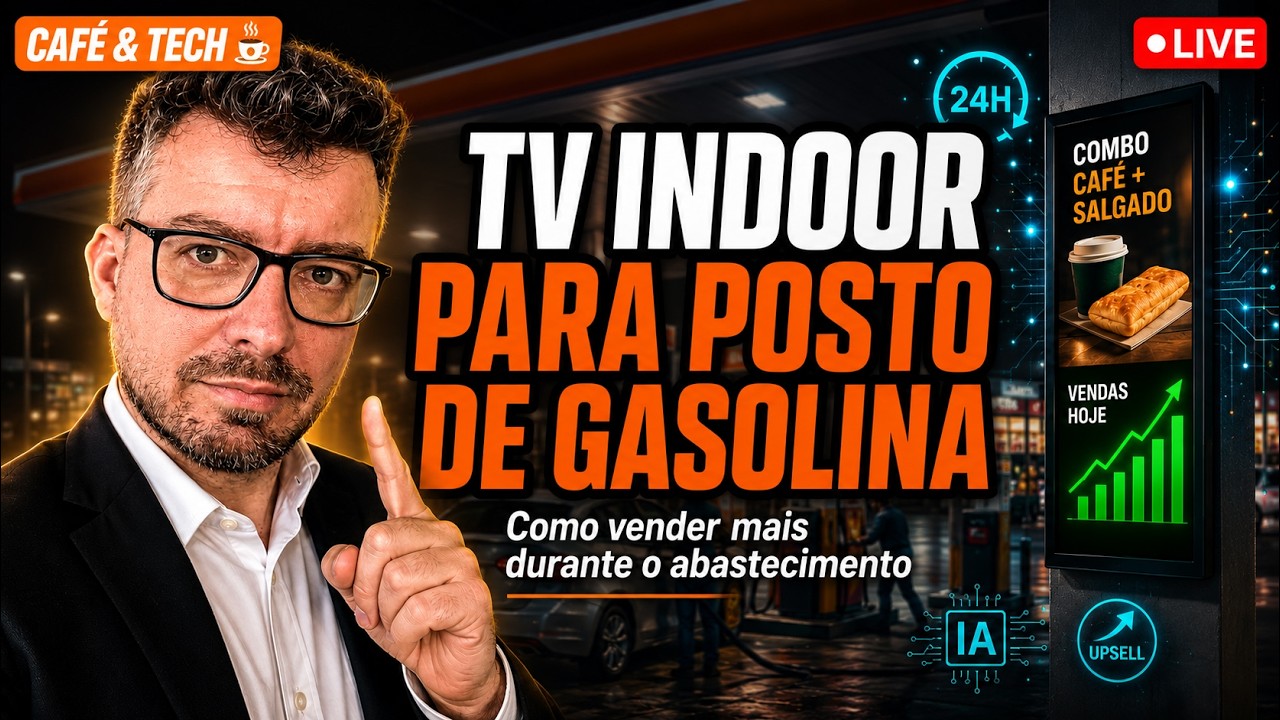
Quotes from the episode TV Indoor para Posto de Gasolina: Como Vender Mais Durante o Abastecimento e Aumentar o Ticket (Café & Tech, published 27 Aug 2026, 1h23m15s), with Mário Sérgio and Josimar Machado, translated from Brazilian Portuguese — this is where the highway section comes from:
"We talk a lot about fuel sites, and we usually picture the ones in urban areas. But if you stop and think, the ones on highways have even more potential."
"It's a restroom, it's a water fountain. And you do it with simple services you often don't even charge for […] By showing that on your TV you first guarantee that the person gets out of the car — and the moment they do, that's opportunity: they'll go to the diner, they'll go to the restroom, at the very least."
"Good cross-selling is essential. There's no point having 20 televisions in your nice restaurant, one on one channel, another on another […] you're not making use of it."
"The TV inside the site, the TV inside the site's restaurant — what is it? Muted. […] You can't have 10 TVs in the same room each with the audio on."
"The reporter is up there talking and I have no idea what he's saying."
"30 seconds and it's showing on the TV with a caption […] you can send the photos and type the caption you want."
The full episode, in Brazilian Portuguese, is at Indoor TV for fuel sites: selling more while the customer fills up, on JMV's YouTube channel.
JMV Indoor runs on a regular smart TV, is managed from the browser, and has an accessible entry plan (confirm the current price on the plans page). For questions about your setup, reach the team through the contact form or on WhatsApp at +55 (11) 4063-8923. JMV Technology serves more than 10,000 customers in 18 countries since 2003. This article covers a slice of two Café & Tech episodes: the first, 1h11, on the convenience store, and the second, 1h23, on the forecourt and the highway site.
In short: the site already has the captive audience, already has the impulse products and already runs 24 hours. What is missing is saying something to the person standing there — at the right time, in the right spot, with the price the store actually charges today. Two screens with different jobs, a playlist built around dwell time, and a photo-to-screen routine that takes minutes solve all three. For how data is handled on your side and ours, see our Privacy Policy.