
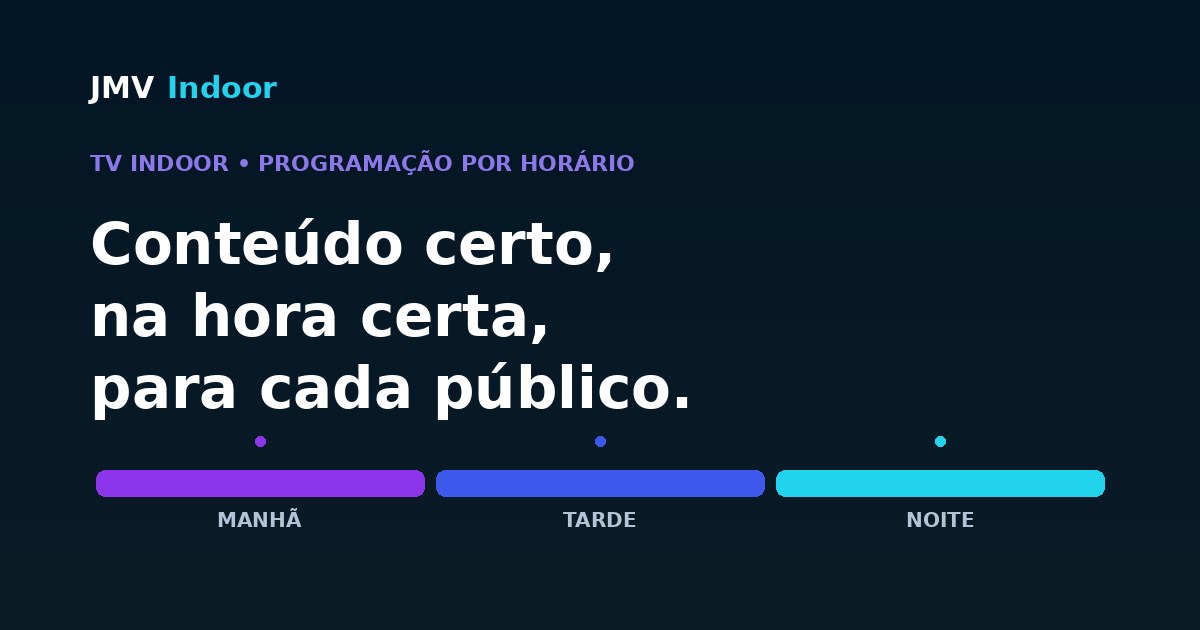
Scheduling Indoor TV by time of day means scheduling the store screen's content programming — not the timer that turns the TV set on and off. In JMV Indoor you build the playlist in the online panel and set the sequence and times of each block, so the screen shows the right message for each shift's audience (morning, afternoon, evening). This enables dayparting: serving different audiences by hour. Segmentation by profile is a usage strategy of the schedule — the system does not recognize the customer automatically; you decide what plays in each part of the day, from anywhere, including your phone.
Scheduling content ≠ turning the TV on/off
First, a distinction that avoids confusion. When someone searches for "schedule the store TV by time", part of the audience wants the Smart TV's native timer — the function that turns the set on and off by itself at set times (Samsung, TCL and others have it). That is not what this article is about.
Here the subject is scheduling the content programming of the Indoor TV: which video, offer or notice appears in each part of the day. It's managing what goes on screen, not the TV's power. One controls the outlet; the other controls the communication with the customer — and it's the communication that sells.
The feature in JMV Indoor: build the playlist and schedule the order
In JMV Indoor, building and scheduling the content are two steps that happen in the same online panel. The product page describes the feature in two stages:
- "Build your playlist" — "Drag, organize and publish videos in the order you want", with no local installs. You gather the content that will play on screen.
- "Schedule the order" — "Choose the sequence and times. Reorganize the playlist whenever you need — all in real time." This is where scheduling by time happens.
The system's step-by-step follows this logic: build the playlist → schedule the order (set sequence and times) → and, if you want, use JMV Content with AI to create videos from photos. In other words, scheduling by time isn't a hidden extra: it's a central part of how the playlist is published.
Dayparting: a different audience at each hour
A store doesn't receive the same audience all day. Whoever comes in early has one intent; whoever passes by late afternoon, another. Dayparting is exactly splitting the day into blocks and scheduling content designed for the audience (and buying intent) of each block. It's a well-established practice in radio, TV and digital signage, and it fits the store's Indoor TV perfectly.
The idea is simple: instead of a single playlist looping all day, you design blocks per shift. The same screen, throughout the day, talks to different people — and that tends to improve attention and conversion, because the offer arrives when it makes sense.
And each block has its own duration. This article answers when the grid goes on air; how long it should run — and how it is composed — is the subject of its counterpart, how long the indoor TV loop should be. Together they make the full schedule.
Practical example: barbershop and salon by shift
Think of a barbershop or a salon, where the owner knows well the profile of whoever sits in the chair at each hour. You can design the schedule like this:
| Shift | Typical audience | Scheduled content |
|---|---|---|
| Morning | Customer who comes before work, in more of a hurry | Premium services, subscription plans, booking via app, care tips |
| Afternoon | Calmer flow, some waiting time | Before-and-after, service bundles, quick daily promotions |
| Evening / weekend | Customer with more time and willingness to buy | Take-home product sales (pomade, cosmetics), packages and gifts |
It's the same screen and the same store — only the scheduled block changes with the hour. The result is communication that follows the customer's day, instead of repeating the same message to everyone. The same reasoning applies to serving content by store zone (checkout, shelf, scale) and to reinforcing upsell triggers at the point of sale.
Important precision: profile is strategy, not automatic recognition
This honesty matters: the real value is in scheduling by time — a concrete, documented feature — combined with your knowledge of the store. The "profile" is the intelligence you put into the strategy, not a magic sensor inside the screen.
All from the cloud — and across many screens
Because JMV Indoor's programming is 100% cloud-based, you build and reorganize the blocks from the online panel anywhere — including your phone's browser. The Smart TV with the app just downloads and plays what was scheduled; there's no PC running at the counter only to change a time. And if you adjust a block mid-day, the change goes to the cloud and the screen updates itself, in real time.
Each screen can have its own time grid. For those with more than one location, scheduling by time works per screen and status tracking of each unit is covered in the article about Indoor TV for chains and franchises. So a high-street unit and a mall unit can have different blocks, each at its own pace.
How to get started
The path is short: with a compatible Smart TV connected to the internet and the player app installed, you log into the panel, build the playlist and use "Schedule the order" to set the sequence and times of your blocks. To try it risk-free, JMV Indoor has a 30-day free trial, which unlocks one location for you to design your first schedule by time. The details of each plan are on the JMV Indoor plans page.
Questions about your operation? Talk to us through the contact form.
In a dental practice the key to the slot is not the clock but the booked procedure — the method is in waiting room TV for dental offices.
Frequently asked questions
How do I schedule my store TV by time of day?
Can I show one thing in the morning and another in the afternoon on Indoor TV?
What is dayparting in retail?
Is scheduling by time the same as the timer that turns the TV on and off?
Does Indoor TV recognize the customer's profile automatically?
Do I need to be in the store to change the time schedule?
Does time scheduling work for multiple screens or locations?
How can a barbershop or salon use time scheduling?
Start JMV Indoor's 30-day free trial →
When the clock is not the best criterion: in a barbershop what defines the right clip for a block is the booked service (beard, cut, coloring), not the shift. That case is covered in barbershop digital signage.