
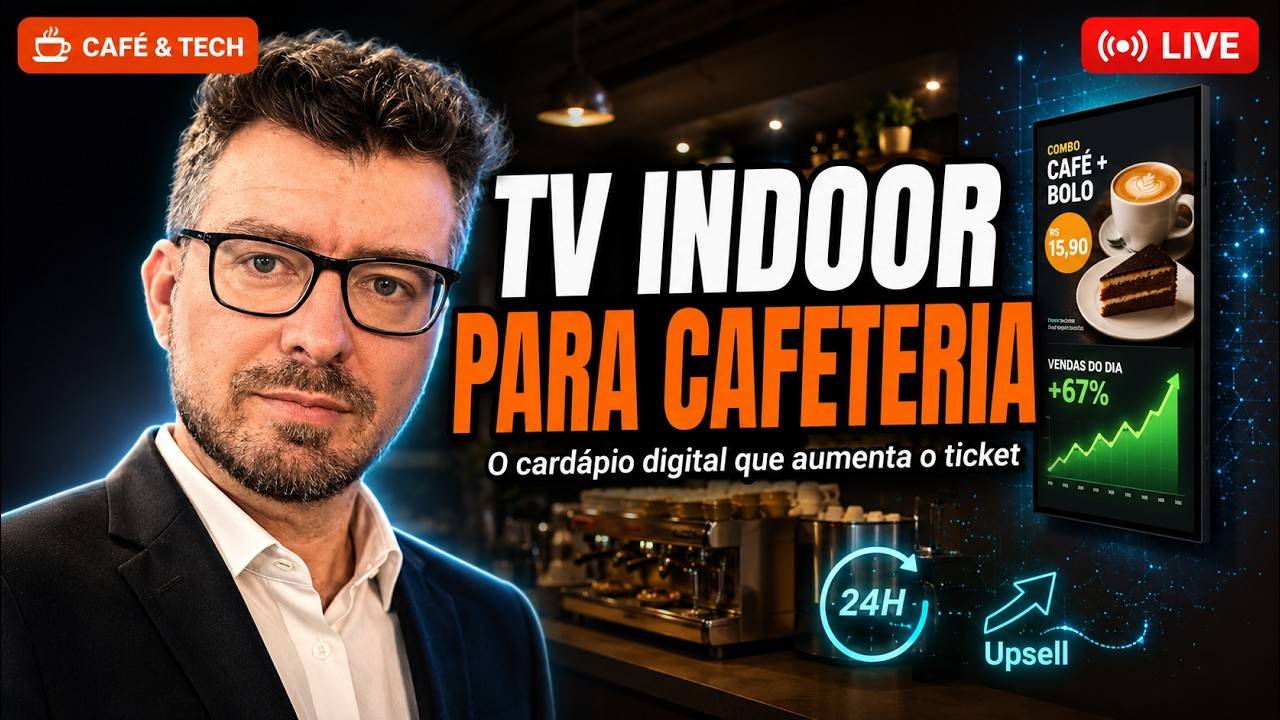
A digital menu board for a coffee shop is a screen at the counter or in the seating area — indoor TV, digital signage — showing what customers never ask about: what is inside the drink with the proprietary name, the combo with the cookie, the whipped-cream add-on, the deal of the day. It is not the QR code menu that opens on the phone of someone already seated; it is visual communication for whoever is still in the queue, deciding. The content is changed from the cloud dashboard, on a phone, in minutes — which is what lets you react to the perishable item that has to move today. And it fixes a loss specific to coffee shops: the customer who does not order the more expensive item because they do not know what it is and have neither the time nor the nerve to ask.
The sale a coffee shop loses to shyness
There is a revenue leak that only happens in coffee shops, and it starts with a well-meaning habit: giving items fancy names. The owner takes a course, opens the shop, and someone tells them to rename the coffee. What is standard in every coffee shop in the country gets a proprietary name, exclusive to that store.
The problem shows up in the queue. In the words of the hosts of the episode behind this article: "whoever is more insecure simply does not order, because they do not know what it is made of". And the reason nobody asks is even more concrete: "I would not feel free to keep asking what each type of coffee is… knowing there are people behind me also waiting".
The loss stacks up in five steps:
- The name says nothing. "House coffee", "grandma's special", a drink with an invented name. The customer has no idea what is in it.
- They do not ask. Shyness, hurry, a queue behind them, a barista waiting for the order. Asking costs embarrassment; ordering the usual costs nothing.
- The queue grows. "What creates the longest queue in any business is people's indecision." An undecided customer at the counter blocks the whole service.
- The combo is invisible. They buy the coffee and leave without ever learning there was a combo with the cookie — because nobody had time to tell them.
- Next time they do not come back. Tired of ordering the same thing, they conclude the shop has nothing else and try the competitor down the road.
None of those losses show up in the month-end report. They show up as a flat average ticket — and as the line that sums up the episode: "the worst thing in the world is being invisible inside your own store".
The menu informs; the screen sells
The most common objection from coffee shop owners is "but I already have a menu". The answer from the episode is blunt, and it works as the thesis of this article:
"The menu is essential, but the menu will not make you sell more. It is there as support for whoever already wants to buy, whoever wants to know the price."
The printed menu is static, listed and mute. It answers how much. The screen shows the product in motion, with a photo, with what is inside it, with the combo alongside — and, crucially, it appears before the decision, while the customer is still in the queue or waiting at a table. That is the difference between informing and selling.
This does not mean throwing the printed menu away. They coexist with different jobs: print is the full reference, the screen is the highlight. It is the same reasoning we detailed in digital menu boards for restaurants — and if your case is a restaurant with tables, servers and a dish of the day, that is the right article for you. A coffee shop is a different journey: a queue, a counter and fifteen seconds to decide.
What to show on a coffee shop screen
The list below comes from the episode itself, and it is specific to coffee shops — not the generic digital signage playlist:
- Items with their ingredients. What goes into coffee X, what is in the cookie, how the dough is made. This is the slide that unlocks the purchase of the item with the proprietary name.
- Strategic combos. Drink + pastry + savoury. The combo simplifies the decision of whoever is in the queue and lifts the ticket with no effort from the barista.
- Highlight or deal of the day. The shop already does this on the chalkboard; on the screen it changes in seconds.
- Counter add-ons. "Upgrade your coffee with whipped cream", "add the dessert". This is the upsell the barista forgets at peak hours — and which, shown beforehand, reaches the counter already decided.
- A curiosity about the product. The story of the coffee, where it came from, how it is made. It holds the attention of whoever is seated and educates the customer for the next visit.
- Loyalty programme and a review QR code. The screen becomes a feedback channel for the customer who would otherwise leave unhappy and say nothing.
How many minutes that sequence needs, and in what proportion your own content and supporting content alternate, is the subject of this article's sibling, drawn from the same episode: how long the indoor TV loop should be. Here is what to show; there is for how long.
One reading rule solves most execution problems: if a slide cannot be read in five seconds from three metres away, it has too much information. Sound is not part of the equation — a coffee shop screen runs muted, competing with the espresso machine and the conversation.
On ingredients and allergens, one caveat we covered in depth in the restaurant article: showing lactose, gluten or nuts on the screen is a service differentiator, not legal compliance — allergen labelling rules cover packaged food, not the drink prepared on the spot at the counter. The full legal basis is in ingredients and allergens on the digital menu board, which owns that topic.
The mechanics of offering the second item at the right moment are the same as the upselling triggers at the point of sale, with one important difference: in a coffee shop it is not about pushing an extra item, it is about unlocking the purchase of the item that already exists and the customer does not order because they do not understand it. The closest neighbour to this journey is the gas station convenience store — with one difference: in a coffee shop the customer stays, sits and consumes there, which buys screen time convenience never gets.
Perishables drive the playlist
This is the most coffee-shop-specific part of the whole article. In a coffee shop almost everything expires the same day: the cheese bread, the cake, the tart, the savoury in the display case. And turnover is unpredictable — today the cake sold out by 2pm and the cheese bread did not move.
With a printed poster or a USB stick, you react the next day. With the playlist in the cloud you react right there: open the platform on your phone, build a combo for the item that is not moving, upload the highlight, and the screen changes in minutes. As they put it in the episode, you can take a photo of the product that just came out of the display case and have it on air in one or two minutes.
The adjustment also does not require you to be on site: management is done from your phone, anywhere. Anyone running two or three units changes the playlist of one without leaving the other.
Producing the content without a photographer
The next objection is always the same: "I have nobody to produce video". You do not need one. The path described in the episode has three steps and fits between two customers:
- Photograph the real product with your phone. Natural light, the item exactly as it goes to the customer, clean background.
- (Optional) retouch the photo. An edge, a background, a crop — in any editing or generative AI tool.
- Generate the video with the AI built into JMV Indoor. You upload the photo, choose the caption and the duration, and the platform returns a video ready for the screen without leaving the dashboard. It is also the recommended path here: it makes no sense to depend on a third-party subscription to put your own product on your own screen.
External animation tools are an optional alternative, not a requirement. If you want to experiment, Google Flow — mentioned in the episode — is part of Google's paid AI plans (the Google AI Pro plan was listed at R$ 96.99/month on the table checked on September 3, 2026; third-party pricing changes, so check before subscribing). For everyday use, the platform's own AI is enough; see also how indoor TV AI turns a photo into video and how to build content without editing video.
What it costs: the daily figure
At JMV Indoor the digital menu board is not a separate product: it is digital signage in the cloud, billed per point — each screen is a point — on a monthly plan with no lock-in.
| Plan | Who it is for | Price* |
|---|---|---|
| Start | One screen — the single-unit coffee shop | see current table |
| Pro | Up to six points — more than one store or more than one screen | see current table |
| More points | More screens than your plan covers | talk to us |
The maths done in the episode is cost per day, and it helps with sizing: the entry plan, at R$ 49.90 per month, works out at R$ 1.66 per day. As an order of magnitude, a single additional sale per day already pays for the plan — one cookie, one pudding, one whipped-cream add-on. That is not a return promise; it is what keeping the screen on costs.
*Scenario calculated with the table in force in September 2026 (Start R$ 49.90 · Pro R$ 199.00). Always check the current plans table at jmvindoor.com, as prices may change. The plan breakdown is in the free trial and fast setup.
An honest caveat about percentages: it is often claimed that "a digital menu board raises the ticket by up to 30%". That figure has no traceable source — AI tools themselves disagree about it by more than ten percentage points. We do not use that kind of promise here. What you can measure is your own case: compare the average ticket of two weeks with the screen against the two weeks before it.
How to start
The minimum path, for anyone who wants the screen running today:
- Pick the spot by dwell time. The counter queue, the waiting area, the wall people face when they sit down. A screen where nobody stops sells nothing.
- Use the TV you already have. A regular smart TV with internet works — in portrait, even, which is the natural format for a menu and fits a narrow corridor, with no kiosk. If the TV is old or the app is not in its store, a streaming dongle solves it; compatibility details are in the indoor TV app on any smart TV.
- Install the app and pair the screen with a QR code or a pairing code, from your phone or computer. Mind the name: the store lists JMV Indoor (the screen management app, which is this one) and JMV Play, a different product.
- Build six to ten slides with the proprietary-name items, two combos and the counter add-ons. Start small; the playlist grows on its own later.
- Activate the 30-day free trial, no credit card and no lock-in, and use the month to compare the average ticket before and after.
Prefer the whole conversation? Watch the full Café & Tech episode on coffee shops on YouTube (in Brazilian Portuguese) — this article covers part of a 1h33 episode.
Questions about the solution? Talk to us through the contact form or on WhatsApp at +55 11 4063-8923.
Excerpts from the episode transcript (source of this article)
Episode "Indoor TV for Coffee Shops: the digital menu board that raises the average ticket and sells combos", from the Café & Tech podcast, with Mário Sérgio and Josimar Machado, published on September 3, 2026 (1h33). The excerpts below are translated from the automatic Portuguese captions and cover the whole of the episode that concerns this article's topic; off-topic passages (the opening, football and politics chat) were left out.
"We are always fancying things up […] you change the name of the dish, the coffee, the drink, and whoever is more insecure simply does not order, because they do not know what it is made of."
"I, for one, would not feel free to keep asking what each type of coffee is. Very often knowing there are people behind me also waiting to be served."
"What creates the longest queue in any business is people's indecision. And the TV helps the person be decided about what they want."
"If you put the ingredients up there, you make your customer far more confident about what they are going to order."
"The menu is essential, but the menu will not make you sell more. It is there as support for whoever already wants to buy, whoever wants to know the price."
"The printed menu is generally static. Not the TV — the TV is intuitive by nature, in a way that creates engagement."
"It is a perishable product […] when we talk about coffee shops, most products are perishable. […] Maybe at the end of the day or mid-afternoon you see the cheese bread is selling badly today, the cake is selling better and the cake ran out. So you go there, run a promotion, a special combo, and you edit that playlist on the spot."
"You can go and take a photo of the real cheese bread in your display case. […] In one or two minutes you have a new video of a real product that has just come out of your display case."
"What sells is the honesty of the guy seeing that product on the TV and seeing that the product he got is the same product. That is extremely important."
"The famous strategic combos […] the combo simplifies the person's decision and raises the ticket."
"Very often people say: 'add a dessert for 2.50', upgrade your coffee with whipped cream. In other words, what your barista says day in and day out, your TV can keep feeding people."
"The worst thing in the world is being invisible inside your own store."
"Bring in curiosity […] what is the story of that dish, that snack, that coffee, how it was created, who invented it. That holds attention."
"You can also highlight your loyalty programme […] show a QR code for reviews of your coffee shop, feedback, polls."
"The TV is in the cloud — 'but it needs internet'. Of course it needs internet so you can update it all the time. […] Everyone has to have Wi-Fi in a coffee shop anyway."
"You are not going to take a photo every hour and swap the USB stick every hour. That routine breaks you. […] That is why so many people put broadcast TV on and let it run."
Some figures said live in the episode are not in this article because they did not survive fact-checking: the subscription value mentioned in the conversation does not match the current price table (the valid one is September 2026, quoted above), and the growth and sales-uplift percentages attributed to research institutions could not be confirmed in primary sources. We prefer to publish the figure that holds up — R$ 1.66 per day — and the datapoint with a real source, from him!.