
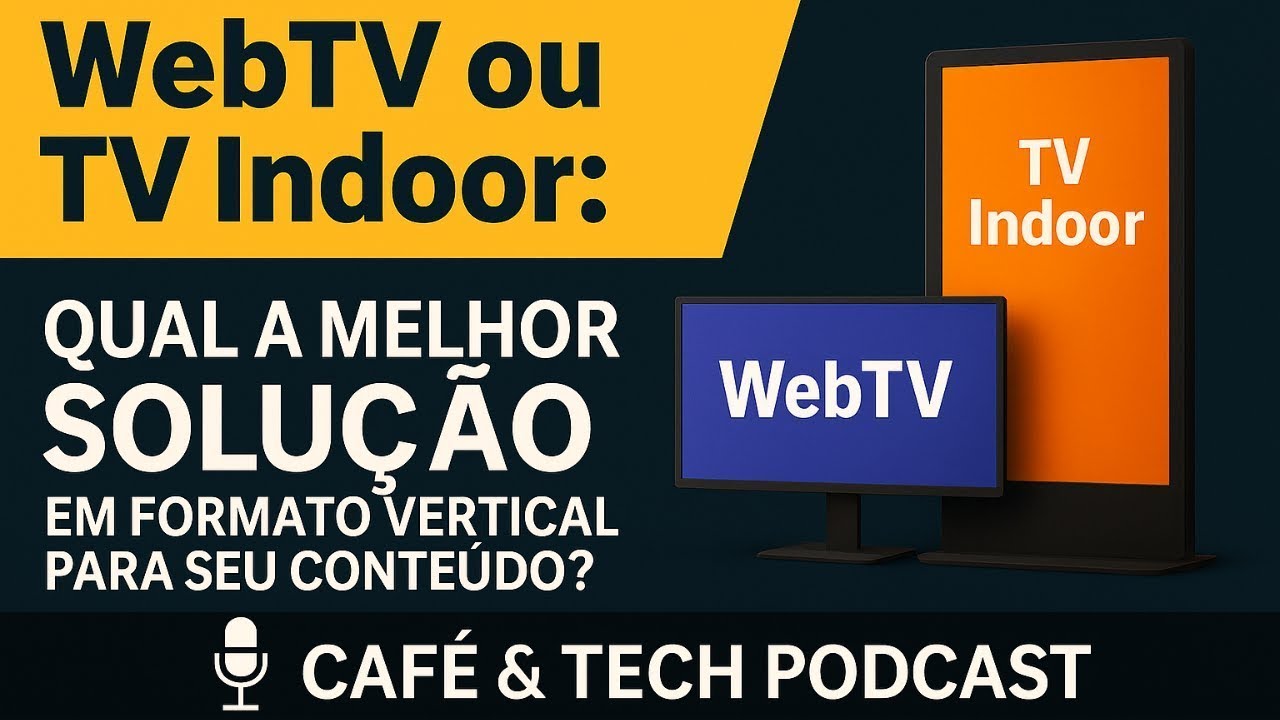
Web TV is your own video channel on the internet, for people who come looking for your content. Indoor TV is the network of screens inside your premises, for people who are there for another reason. The technology is the same — upload, playlist in the cloud, delivery by streaming — and at JMV Indoor the system is the same for both. To decide which one to get, one question is enough: did the person about to see this screen leave home to watch your content, or are they here for another reason? Came to watch, it is web TV. Here for another reason, it is Indoor TV. What really changes is not the contract: it is the content you upload.
The question the sales team hears every week
This is not a question from someone studying the market: it is the question of someone about to sign for something without knowing what they are buying. The Café & Tech Podcast episode behind this article opens exactly there:
"A lot of the questions that come in day to day are people asking about the difference between web TV and [Indoor] TV, when to use each resource, what sets them apart. So today the aim of this episode is to demystify it." Mário Sérgio, solutions consultant at JMV Technology, in the episode linked at the end of this article. Translated from Portuguese.
The confusion has an honest reason to exist: underneath, it is the same thing. You upload a video, build a playlist, the schedule is delivered over the internet and shows up on a screen. Look at the technical layer and you will not find two technologies — you will find one, with two uses. That is why comparing feature lists does not settle the decision.
And there is a dishonest reason too, worth saying before any definition: some companies use the term "web TV" to sell Indoor TV, and the other way round. If the product name decided it, reading the seller's page would be enough. It does not. The audience does.
What web TV is
Web TV is your own video channel on the internet. You upload recorded content, build the schedule — on loop, in the simplest mode, or as a grid with days, times and programmes, in the professional one — and anyone who wants to watch comes to it: through the company website, through an app on a smart TV, through social media when you restream. The definition in the episode is direct:
"Web TV is more focused on someone who wants to broadcast content that will be accessed. Accessed how? Someone will go to your TV to consume your content. You will promote your TV, you will have a target audience." Mário Sérgio, in the same episode. Translated from Portuguese.
Hold on to the verb: access. On web TV there is a voluntary act before the content plays — someone typed, clicked, opened the app, looked for the channel. That changes everything that follows, from programme length to how you measure success. The full explanation of how streaming supports that channel is in what web TV streaming is and how it works, by JMV Stream (in Portuguese) — that is where the video technology side is covered in depth, and it is the right site for anyone deciding how to broadcast rather than what to put on the shop screen.
What Indoor TV is
Indoor TV is the network of screens inside a physical space — shop, reception area, gym, clinic, restaurant, petrol station — showing content scheduled by whoever runs the location. It is an application of digital signage aimed at commercial environments. How that name relates to the others the market uses — indoor media, corporate TV, digital signage — is in indoor TV, indoor media or digital signage: what is the difference. The extended definition, with the use cases and the environments where it works best, is in the SiteHost article on what Indoor TV is and why your company needs it (in Portuguese) — and it is worth reading, because it describes Indoor TV in a way that closes the argument of this article: "technically, it is a Web TV applied to physical screens".
Here the verb is a different one: impact. Nobody walks into the supermarket bakery to watch television. The screen has to interrupt a person busy with something else — picking yoghurt, waiting for a number, having lunch:
"Indoor TV is a different concept. It has to make an impact on the user. The user does not go to a food court to sit and watch TV, and does not go to a restaurant to watch TV with the ads and the commercials. So it has to be something that grabs attention in order to make an impact on the user who is in that place." Mário Sérgio, in the same episode. Translated from Portuguese.
The real difference is not technical: it is who is on the other side of the screen
The thesis of the episode fits in one sentence, said by the consultant and endorsed straight after by JMV's CEO:
"It is content made to make an impact, not content made to be searched for." Mário Sérgio, in the same episode; immediately after, Josimar Machado: "That's it, right, Mário?". Translated from Portuguese.
That is the whole dividing line. Everything that distinguishes a piece of web TV content from a piece of Indoor TV content follows from it — and none of it shows up when you compare feature tables from suppliers.
The one-question test
If you take only one thing from this article, take this. You do not need to compare plans or understand streaming to decide:
Did the person about to see this screen leave home to watch your content, or are they here for another reason?
- Came to watch — they opened the link, opened the app, looked for your channel → Web TV.
- Here for another reason — waiting, shopping, having lunch, getting a test done → Indoor TV.
Notice that the question never mentions screens, devices, formats or prices. It only locates attention — and attention is what determines how the content has to be made. A restaurant that wants a recipe channel for customers to watch at home is doing web TV, even if the video plays on a television set. A news outlet putting screens in a building's lobby is doing Indoor TV, even though it is a broadcaster.
What actually changes — in the content, not the contract
Once the audience is settled, the way you produce changes. This is where most comparisons stop and where the mistake costs money: you buy the right thing and upload the wrong content.
| Web TV | Indoor TV | |
|---|---|---|
| How the audience arrives | searched, accessed, bookmarked the channel | is in the room for another reason |
| Attention available | high and voluntary | low, in passing, competing with a phone |
| Audio | part of the piece | the screen runs muted — captions are part of the piece |
| Length | programme, episode, long schedule | short loop, a message that closes on its own |
| Metrics | audience, concurrents, session time | no measured audience — conversion happens at the counter |
| Call to action | subscribe, follow, come back | QR code, ask at the desk, order now |
Sound: the row in the table that kills the most campaigns
On web TV, audio is half the piece. On Indoor TV the screen is almost always muted — a decision made by whoever runs the space — and a video that depends on narration turns into someone gesturing. The full reasoning, with what to do instead of audio, is in muted Indoor TV video needs captions.
Length: nobody "watches" the shop screen
A web TV episode can run forty minutes because someone sat down for it. An Indoor TV piece has to close its argument in the time it takes a person to walk down the aisle, and the whole loop has to fit inside the average dwell time at that location. The criteria for building that are in how long the Indoor TV loop should be; varying content by shift is a separate matter, covered in scheduling Indoor TV by time of day.
Metrics: the honest caveat missing from the comparisons
Indoor TV has no measured audience — and any supplier promising it is selling you something else. On web TV there is an access count; on Indoor TV, the people on the other side are walking past. In the episode, the line is this one: "you do not have statistics on the people watching your Indoor TV, because they are physical people in the location". There is no audience dashboard for the pavement.
What does exist is measurement by destination: a QR code on the piece turns the screen into a traceable source — how many scanned, how many landed on the page, how many converted afterwards. That is why a QR code on Indoor TV is an instrument, not decoration; the most direct case of using it well is in a QR code on the screen to ask for a Google review. In the episode, the consultant puts the QR code in exactly that role: using it "to grab the attention of the audience watching your Indoor TV in that establishment so that you can convert right there".
What if I need both?
Here is the part that breaks the premise of the question. People searching for "web TV or Indoor TV" usually assume two products, two contracts and two migrations. At JMV Indoor that is not the case, and the episode wraps up its first part with exactly that:
"Wrapping up this first part on web TV and Indoor TV: the system is the same for both; the extra features we offer as a plus — both going live and Content — are available in both formats." Mário Sérgio, in the same episode. Translated from Portuguese.
And to the obvious commercial objection — why offer both, if one would compete with the other? — the answer in the episode is short:
"People might ask: 'Why do you offer both? Is one a competitor of the other?' No, they are completely different audiences, but it is the same solution." Mário Sérgio, in the same episode. Translated from Portuguese.
The real case described in the episode is a production company serving a supermarket chain: it already produces, remotely, the promotions, the jingles and the audio schedule for the client's stores — and the same design works for video. It builds the schedule from inside its own studio, leaves it running in the cloud and, when needed, goes live on the client's screens to talk about the promotion of the day without leaving the room. In the words of the episode: "from his own production studio he can go live on his clients' screens, talk about the promotions, set up a little chroma-key set inside his studio to go live and talk about the products on offer that day at the supermarket".
That is where the two worlds meet in the same panel: the scheduled grid is web TV in operation, and what shows up on the shop screen is Indoor TV in experience. How the live part works — the playlist pausing, the image going to every point and the schedule coming back on its own — is in going live on Indoor TV, on every screen in the shop. The other feature mentioned, JMV Content, builds news videos automatically to fill the schedule: that one is in Indoor TV with automatic news.
One consistency note: segmenting what each screen shows — bakery with one schedule, butcher with another — is the normal way to operate, and it is covered in Indoor TV by store zone. Going live is the moment that segmentation is deliberately undone.
How much it costs
This is one of the questions that shows up in search alongside the comparison, and the answer has a number part and a structure part. The structure first, because it is the part that does not change: screen orientation does not change the price. Portrait or landscape is set when the point is activated, and the bill is per display point — not per format, not per "product type".
| Plan | Monthly price | What it includes |
|---|---|---|
| Start | R$ 49.90 | 1 display point |
| Pro | R$ 199.00 | up to 6 points |
| More points | talk to us | more screens than the Pro plan covers |
Monthly prices, no lock-in, with a 30-day free trial on one point and no credit card. Table checked on 1 October 2026 — because it changes over time, always confirm the current figures on the plans table before signing up.
One point that tends to surprise anyone who has compared suppliers: JMV Content — the automatic assembly of news videos to fill the schedule — is included in both Start and Pro, according to that same plans table. It is the thesis of this article made concrete: the "plus" does not belong to a format, it belongs to the platform.
Which app to use
The question "which is the best Indoor TV app" has no absolute answer — and be suspicious of anyone who gives you one. It breaks into two: does it run on the screen I already own? and does it do what my operation needs?
On the first, the list of smart TVs and devices the JMV Indoor app runs on is in the Indoor TV app on any smart TV, and the route to a portrait screen without buying a kiosk is in vertical Indoor TV without a kiosk. Check your specific model's compatibility before buying new hardware — it is the cheapest check in the whole project.
On the second, it is worth taking a short checklist to any supplier, ourselves included:
- can you manage the screen remotely, without going to the location?
- can you build playlists and schedule by day and time?
- can you control several screens separately, with different schedules?
- does it work in your screen's format — and, if you want the screen in portrait, confirm your specific model with the supplier;
- what happens when the internet drops? Ask, and ask for the answer in writing.
Why that last item matters most. It is what appears least on the sales page and most in the shop: network drop, black screen, a customer staring at a dark rectangle. The cost of that is measured in Indoor TV switched off: the loss nobody counts, and the bandwidth and freezing diagnosis is in Indoor TV freezing and network requirements.
In practice, almost everyone who arrives asking "web TV or Indoor TV" is setting up the screen of a physical location — and discovers, mid-conversation, that there is less to choose than they thought. The cheap way to find out is the trial: one point, thirty days, your real content on your real screen. If you would rather talk through your case first, there is a contact form on the home page.
Frequently asked questions
What does Indoor TV mean?
What does web TV mean?
Are web TV and Indoor TV the same thing?
How much does Indoor TV cost?
Which is the best Indoor TV app?
Can I use the same platform for both?
Does Indoor TV measure audience the way web TV does?
Do I need two contracts if I want both?
The excerpts from the episode, in full
The excerpts below come from the episode "WebTV ou TV Indoor: Qual a Melhor Solução em Formato Vertical para Seu Conteúdo?", from the Café & Tech Podcast, published on 8 May 2025, with Mário Sérgio, solutions consultant at JMV Technology, and Josimar Machado. Automatic transcript, cleaned and punctuated; anything in square brackets is a transcription fix, not added content. The episode is in Brazilian Portuguese and the translations below are ours.
A date anchor, and it matters. The episode is from May 2025. Prices, product names and commercial conditions mentioned in the conversation do not apply today — everything this article states about the product was checked on the plans table on 1 October 2026, not taken from the recording. Claims the company makes about itself in the conversation (being first to market, exclusive features) are not endorsed here: they have no verifiable public source.
Excerpt 1 — the aim of the episode: demystifying the difference
Excerpt 2 — the web TV audience: someone who will access it
Excerpt 3 — the Indoor TV audience: someone who is there for another reason
Excerpt 4 — the thesis: content to make an impact, not to be searched for
Excerpt 5 — the system is the same for both
Excerpt 6 — different audiences, the same solution
Excerpt 7 — there are no audience statistics on Indoor TV
Excerpt 8 — the production company going live on its clients' screens
The full episode, 1h00m09s long, is on the JMV Technology channel: WebTV ou TV Indoor: Qual a Melhor Solução em Formato Vertical para Seu Conteúdo? — Café & Tech Podcast. Worth watching in full if you are putting the project together: what is a summary here is an hour-long conversation with use cases there.
In the end, the question in the title has a short answer and a discomfort. The short answer: it is the same technology, and you choose by the audience — if the person came looking for the content, web TV; if they are there for another reason, Indoor TV. The discomfort: because product names are not reliable in this market, the only question that protects a buyer is the test one — who will be standing in front of that screen, and why are they there? Answer that, and the rest is configuration.