
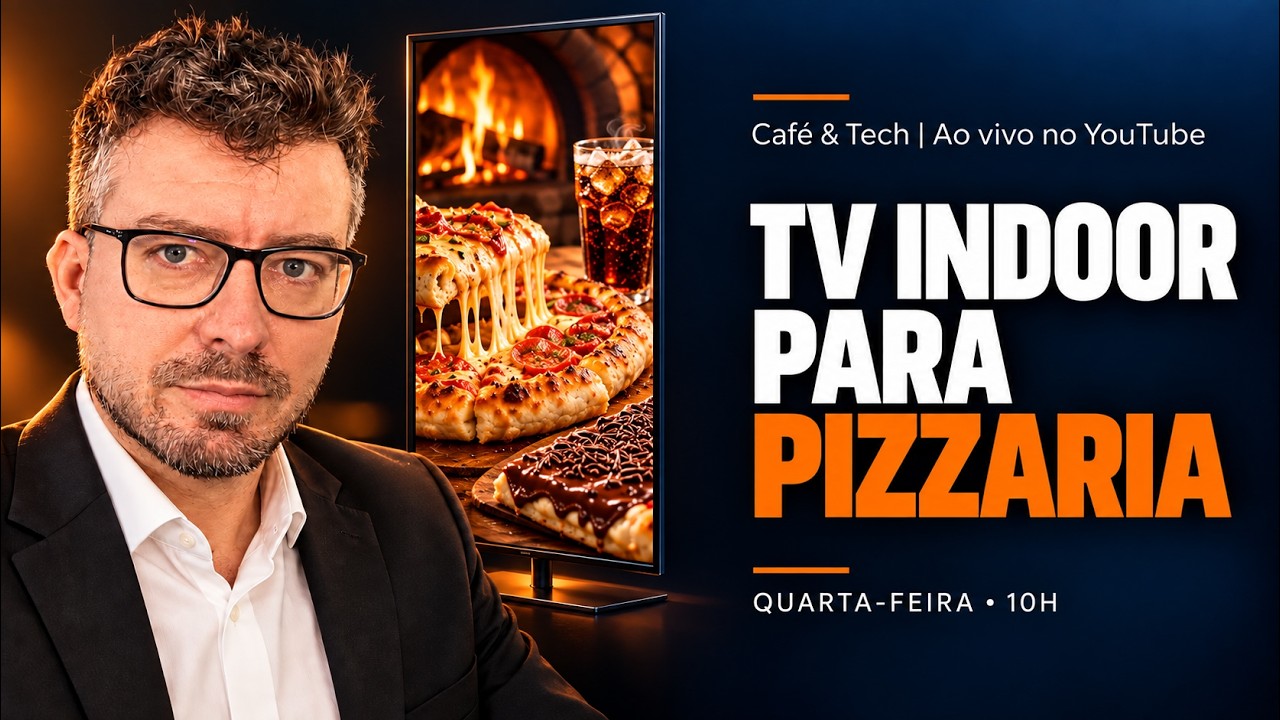
Indoor TV for a pizzeria means using the dining-room screen — cloud-managed digital signage — to sell during the oven wait. The table spends 30 to 40 minutes waiting for its pizza, with the whole family and no server available. The screen takes that role: it explains the pizzas before the order, offers drinks, cocktails and kids' drinks while the pizza bakes, shows dessert pizza when the meal arrives and promotes your own delivery at checkout. Content changes from your phone as the room fills up. What does not work: still photos, nothing but offers, and USB sticks.
Watch the episode behind this article. The Café & Tech episode on pizzerias runs 1h17, in Portuguese, and was streamed live on October 7, 2026, with Mário Sérgio and Josimar Machado: watch the full episode on YouTube.
Episode chapters
- 05:00 — The pizzeria's waiting window
- 07:30 — Servers can't keep up on a busy night
- 18:00 — Dessert pizza, dessert combos and kids' drinks
- 21:30 — The margin on drinks and cocktails
- 27:00 — The USB stick routine versus the app
- 30:00 — A promotion on air in 3 minutes
- 33:00 — Pizza and wine pairing: teach, then sell
- 38:30 — The video of the table's pizza being made
- 40:00 — Ready-made content: news and fun facts
- 50:00 — Free trial and compatible TVs
- 57:30 — Plans and additional display points
- 1:04:00 — Don't take the menu away
- 1:08:00 — Your own delivery on screen
The quotes in this article were transcribed from the episode and translated from Portuguese.
Why pizzerias have the best sales window in the dining room
In most restaurants the wait is short: the set lunch comes out fast and the table leaves. Not at a pizzeria. The pizza goes into the oven after the order, and the wait is part of the outing. That is how the Café & Tech episode opened:
"If the pizzeria is really fast, 30 minutes. […] We're sitting there for 30 minutes chatting, hungry, the family […] while the place could act very strategically with the indoor TV there to back up the server."
There is no study comparing waiting times by segment, and we will not invent a ranking. But operators know it: the pizzeria has one of the longest idle windows in food service. And it comes with three factors that favor the screen:
- The table is big. Pizza night is a family and friends outing — "kids, spouse, dad, mom, everybody goes". Many eyes, and many drink and dessert decisions at the same table.
- The busiest day has the fewest servers per table. Sunday, pizza day, the weekend: "the same old problem, few servers, the guy has no time to tell you everything there is".
- The server doesn't know when to step in. The table is deep in conversation, and interrupting to offer a cocktail feels pushy. The screen offers without interrupting.
Training the server works for one night
The classic way to raise the average check is to train the staff to upsell — which we cover in upselling with indoor TV. The episode is honest about the limit: the owner takes the course, builds the script, trains the server… and "he does it once, and the server can't keep up". On a packed night, with the extra hand who started that day, nobody follows the script to the letter:
"The guy won't follow the flow you set up every single time. He's human, and that's fine. The TV is there to help."
And in many dining rooms the TV is already on the wall — switched off, on a broadcast channel or showing landscapes. "When you walk into a place and there's a TV, you instinctively look at it, even if it's off." The hardware is there; the screen just has to be put to work.
The table's timeline: what to show at each moment
This is the part that changes results. A pizzeria table goes through five moments, and each one calls for a different offer. Showing a pizza combo to people who have already ordered their pizza wastes the screen.
| Moment | What the screen shows | Example from the episode |
|---|---|---|
| Before ordering | What each fancy-named pizza is and what goes on it; the personal-size pizza, half-and-half and the vegetarian option | The vegetarian who gives up on their own pizza because "most of the table wants chicken"; the chicken pizza with Bolognese sauce that surprised Mário |
| Order placed, oven on (30–40 min) | House drinks, cocktails with and without alcohol, the kids' drink, a starter | The R$ 9 or R$ 10 can of soda; the R$ 29 to R$ 39 cocktail that costs little to make (an example from the podcast, not market data) |
| The table's pizza in the oven | A short video of that pizza being made — without saying which table it is for | "Hey, that's my pizza being made" |
| Pizza on the table | Dessert pizza and dessert combos: chocolate lava cake with ice cream, gelato, milkshake | "The dessert that comes after the pizza" |
| Check and exit | Your own delivery, playground rental for birthdays, discount pizza day | "Pay less through our own delivery" |
Before ordering: the fancy name and who gets left out
"Pizzas have fancy names; you can't always tell from the name what the pizza is, because every place names them differently." A short spot with the photo and the toppings answers the question nobody asks the server. It also helps whoever tends to get outvoted at the table. The episode's example is the vegetarian who does not order their own pizza "because sometimes it's just them" — without knowing the house has personal-size pizzas or half-and-half. On the screen, that information arrives before the order.
Toppings on screen are also safety information: "sometimes there's an ingredient and the person is allergic". A printed menu in small type, mid-conversation, does not do that job as well as a pizza shown with the list of what goes on it.
With the oven on: drinks, cocktails and kids' drinks
This is the highest-margin moment. The episode's example is the R$ 9 or R$ 10 can of soda and the "pretty, well-crafted" cocktail at R$ 29 to R$ 39 that the house makes for much less — an example from the podcast, not market data, but every pizzeria owner knows their own numbers. The production rule is the same as on Instagram, with captions: "put up the image of the drink itself […] make a little video of that drink, the preparation".
The kids' drink deserves its own spot. Served in a cartoon-character cup, it sells itself — "the child just sees it on the TV, and that's dad's wallet".
The table's pizza in the oven
This is the most original idea in the episode. The kitchen records a thirty-second video of each pizza being made — especially the most elaborate ones, which guests have no idea how to make. When a table orders that pizza, its video goes up on the screen:
"You don't even need to say which table it's for, just show that pizza being made, and the person will say: hey, that's my pizza being made. That creates a huge experience."
It works for the same reason as a glass-walled kitchen: seeing how food is made builds trust. And right after the preparation video, the screen follows with the drink or dessert offer.
Teach first, then sell: pizzeria fun facts hold attention
A screen that only shows offers sends the table back to its conversation. The episode put it bluntly: "just showing ads won't work". The structure that works is the one every good content creator uses — "I give free, educational content, and then I sell" — applied to pizza:
- Wine pairing. "Pizza X pairs with wine Y. I teach. Look, I have this wine. Wine promotion today." For the couple who just sat down, it is the most natural offer of the night.
- Stuffed crust. Cream cheese, cheddar, chocolate: nobody knows how it is made, and everyone is curious.
- Fermentation. Natural fermentation, dough resting time, why the crust rises — if the house is a specialist, this is content only it has.
- Behind the scenes. Preparation, assembly, the oven. It builds the trust of an open kitchen even where the kitchen is closed.
- Themed pizza. When a TV series becomes the talk of the town, some pizzerias launch a pizza on the theme, and people go there to eat it and post it. The screen is where that launch reaches whoever is already in the room.
Between the house's own spots go pieces the platform delivers ready-made, such as news by category (sports, food) and food fun facts — how it works is in indoor TV with automatic news. In a 30 to 40-minute window with short videos, a lot fits; the trick is to alternate.
All-you-can-eat pizza, pizza day and kids' week: the screen that explains the rules
All-you-can-eat pizza has rules the printed menu does not explain well: "sometimes it's weekdays only, no all-you-can-eat on weekends. Sometimes not every flavor is included". In small print, the table ends up "hostage to the server's recommendation". On the screen the rule is clear — which days, which flavors — followed by the add-ons. Since the table came for the pizza, the sale is in drinks, cocktails and dessert, the same logic we cover in indoor TV for steakhouses.
Seasonal dates work the same way. The episode was recorded on the eve of Brazil's Children's Week and laid out the plan: combos, the kids' drink "in the character cup" and, for those who have one, the playground. Each date becomes a short playlist scheduled to start and stop on its own — the mechanics are in scheduling indoor TV by time.
Out of an ingredient? The promotion is on air in 3 minutes
Many pizzerias start with a USB stick. It works until the routine gets heavy: "every week you go there, pull out the stick, make the video, put it on the stick, go back and plug it in. That's for two TVs; imagine three, four. And when there's more than one floor?". And the USB stick cannot handle the day's surprises:
- a pizza ran out of an ingredient and you need to steer orders to a similar one;
- a product is close to its expiration date and needs to move fast;
- a family with ten kids, or a group of young people, just walked in, and the house has the right offer for them.
In the app, whoever is at the register takes a photo of the pizza, picks the motion, writes the caption and publishes; the video joins the schedule on every screen. The math done live in the episode:
"Say 20 seconds to take the photo, another 20 seconds to set the motion and all, another 10 to type the caption […] It goes straight into the schedule. No, 5 minutes is too much. 3 minutes is plenty."
That video is generated from photos of your own product — it is not cinema-grade animation. For a more elaborate spot, the episode mentioned Flow, Google's paid AI video tool; JMV's feature exists to speed up the house's real content. Photo technique is in product photos for indoor TV with your phone, and video generation in indoor TV with AI.
How many TVs, and where
One TV rarely covers a pizzeria: "if the pizzeria is big, there are several lines of sight, people with their backs to it, people facing it; you'll need at least two TVs". Count by line of sight: the wall most tables can see, the opposite side for those with their backs turned, each floor. If there is a narrow wall, a vertical TV draws more attention and fits where a horizontal one does not — the options are in vertical indoor TV without a kiosk.
And there is one more reason for a screen at a pizzeria: the menu leaves the table. "You place the first order, and in under five minutes they take the menu away. Then you don't order anything else." Whoever wants dessert has to call the server to ask for the menu back — and many people give up. The screen keeps offering after the menu is gone. If the house still uses only a printed menu, the full transition is in digital menu boards for restaurants.
The TV that brings the next visit (and the next order)
Not everything on screen is meant to sell today. "Sometimes the person doesn't even want that dessert that day. But just by seeing that you have it, next time they come back, they'll order it." Three offers work for next time:
- Your own delivery. On a rainy day or when unexpected guests show up, the customer who knows the house orders from home — and often does not even know it delivers. "I doubt your server told every table that you deliver." At checkout, the screen says it: the number, the website, your own app.
- The playground for birthdays. For families with children, it decides where the next party will be.
- Discount pizza day. Whoever is in the room on Saturday plans their Tuesday.
A note on delivery: the dining room is your own channel, and talking to whoever is seated there is different from using a marketplace's structure to pull customers away. Commissions and what to check in the contract are in selling cheaper on your own app than on delivery apps.
Setup with the TV you already have
- Install the app on the TV. The JMV Indoor app is in the official stores of compatible smart TVs — Samsung, some LG models, Google TV, Fire TV and Roku (see the compatibility list). No app on your TV? A Fire TV or Roku stick on the HDMI port solves it without replacing the set; details in indoor TV app on any smart TV.
- Never a pirate box. The platform only runs in certified environments: an unofficial device on the pizzeria's network is a risk to the network itself.
- Control it from your phone or the web. The management app (Android and iOS) pairs with the TV using a code, like a streaming app; everything in the phone app is also in the web panel.
- Build the first playlist. Photos of the drinks, the house cocktail, two dessert pizzas and one pizza being made; fill in with ready-made news and fun facts.
- Choose loop or schedule. The playlist can loop or start by day and time, and each TV can have its own.
- Turn on the TV-off alert. The warning arrives by email or Telegram. A dark screen in the middle of dinner is a lost window — the cost is in indoor TV off: lost sales.
Plans, free trial and how to start
JMV Indoor is 100% cloud digital signage, billed monthly per display point — each TV is one point.
| Plan | Who it is for | Monthly price |
|---|---|---|
| Start | One screen in the dining room | R$ 49.90 |
| Additional point | Each extra TV, on any plan | R$ 29.90 |
| Pro | Large dining room, two floors, entrance: up to 6 points | R$ 199.00 |
Prices from the table in effect on October 16, 2026 (Start R$ 49.90 · additional point R$ 29.90 · Pro R$ 199.00). Prices change: check the current plans table before you subscribe.
The episode's math: R$ 49.90 divided by 30 days is about R$ 1.66 a day — less than the margin on one cocktail. The trial is free for 30 days, activated immediately, with no credit card, no payment, just a social login (Google or Apple account). That is enough time to photograph the cocktails and dessert pizzas, build the week's schedule and count how many add-ons each table orders before and after.
Questions about the solution? Talk to us through the contact form or on WhatsApp at +55 (11) 4063-8923. If you would rather read the terms first, see our Privacy Policy.