
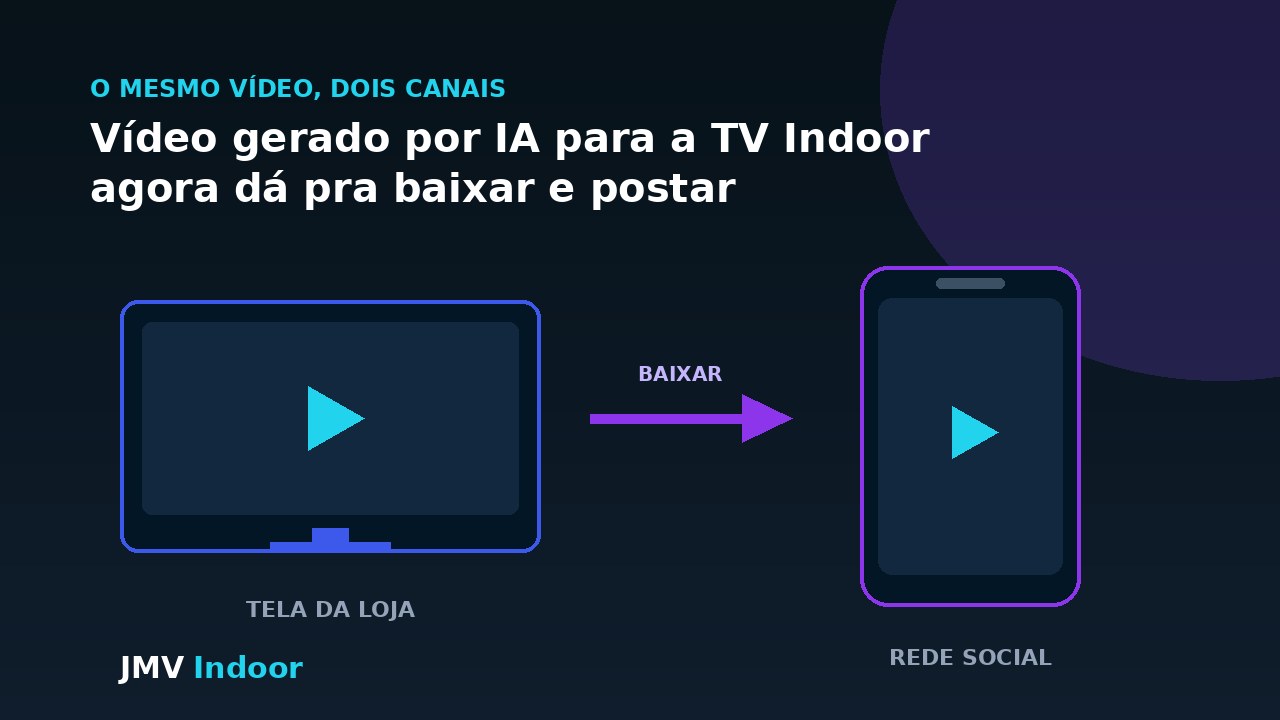
Indoor TV with artificial intelligence builds a video from product photos and a short caption written by whoever is in the store, with nobody opening an editor. Until now that clip only existed for the screen. With the download feature, the same file can be downloaded and published on the store's Instagram, Stories or TikTok — the reverse of the familiar integration, where social media was what fed the screen. In practice, a floor employee produces, in otherwise idle minutes, material that serves the in-store display and the store's profile at the same time.
The problem: dead time at the counter
Every street-level store has its dead hours. Traffic drops, customers disappear for forty minutes and the employee stands there — arms crossed or, more commonly, on their phone. It is an old retail annoyance, and the standard reaction is to ban the device.
The Café & Tech episode behind this article treats that dilemma more usefully: banning creates friction and gives back no productivity at all. The problem is not that the phone is in the person's hand, it is that the phone has no defined job at that moment. Paid idle time is a cost — one the store is already paying, whether the employee produces something or not.
A company phone with exactly one job
What the episode proposes is giving the employee a company device with a single scope: photographing whatever needs to be communicated. It is not a communications project, it is a three-step task.
- Photograph the product. The item that just arrived, the piece that needs to move, the new window display — whoever is on the floor knows which.
- Write the caption. Name, price, terms. In the podcast, the suggestion is to run that raw description through a free text assistant so it comes out better written.
- Let the platform build the video. Zoom, animated captions and the timing of each scene are calculated automatically — that is the AI video generation from photos flow, which this article treats as a prerequisite rather than repeating in detail.
The comparison made in the conversation is the one that matters to whoever will run it: the process is described as easier than Capcut, easier than Captions. Not because it offers more features — it offers fewer — but because it removes the step where most stores give up, which is assembling the video.
The new feature: downloading what the AI built
None of that is new so far: the video was generated and it went to the screen. What changes is the destination. According to the episode, the download feature for the generated video has just been implemented — the clip built for the indoor TV can be downloaded and published on the store's social media.
The gain is in reuse, not in technology. The material already existed; what it could not do was leave the platform. A thirty-second clip about the shirt that arrived today serves exactly the same person in both places: whoever walks past the screen inside the store and whoever sees the Story on the bus.
Why this is the reverse of what already existed
It is worth placing this feature among the others, because at first glance they all look like "social media integration" — and they are not. The difference is the direction of the flow.
| Feature | Direction | Problem it solves |
|---|---|---|
| Indoor TV pulling Instagram automatically | Social media → TV | The screen never sits empty: what was posted on the profile enters the playlist |
| AI video generation from photos | Photo → TV | Producing the clip without a video editor |
| Email that becomes video and FTP shortcut | Operation → TV | Transport: how content reaches the screen without manual upload |
| Downloading the generated clip (this article) | TV → social media | Reuse: material made for the screen does not die there |
The first three solve input: how content reaches the screen. This one solves output. That is why it replaces none of the others — it closes the loop. A store can import Instagram to fill the playlist, generate AI clips for new products and hand those clips back to Instagram. Content starts circulating instead of piling up at one end.
What it changes in the cost of the operation
The maths that matters is not about technology, it is about people. The same paid hour that today produces nothing in return starts generating two assets: the screen clip and the profile post. Neither was outsourced, neither joined the agency's queue.
That is the same starting point as the episode, which discusses at length the cost of losing and replacing people in retail — the subject is developed, with the figures quoted in the conversation, in the article on indoor TV for onboarding and lower turnover. Here the narrow point is enough: an employee with a clear, visible task tends to stay longer than one who spends the afternoon waiting for traffic to pick up.
Producing content is only one of the ways out of the dead time behind the counter. The others — real-time operational information, micro-training through repetition and visible targets on screen — are in the article on how indoor TV engages the team and ends idle time, which covers the same employee in a quiet hour from another angle.
There is a side effect worth stating honestly: people who produce the store's content start looking at the product with more care. That is a frequent consequence, not a measurable promise — and this article has no data of its own to back it up.
Who actually uses this
The clothing store with new stock and no material
This is the scenario quoted in the episode, and the most direct one. The new collection arrives. The supplier's promotional material did not arrive with it, or arrived too generic. In the past the store waited — for marketing, for the agency, for someone with spare time. With the flow described here, the employee in that section photographs the piece on the rack, writes the caption, and within minutes there is a video running on the screen and in Stories. The product that arrived today is promoted today.
Operations with vertical screens
Anyone already running vertical screens has the obvious advantage: the clip is born in the format Stories, Reels and TikTok expect. Reuse is literally download and post, with no reframing.
Chains with several locations
Across a chain the gain is volume and local relevance: each store produces material from its own stock, and the regional profile stops depending on a single piece made at head office for every location — including the ones that do not carry that product.
What to watch before you start posting
There are only a few, but ignoring them turns saved time into rework:
- Check price and terms before publishing. A mistake that goes out on the store screen disappears in the next cycle; a mistake published on the profile stays on the record and gets shared.
- Decide orientation with the destination in mind. A horizontal screen produces a horizontal clip, which shows bars in vertical social formats. If the profile is that clip's main destination, generate it vertical.
- Assume nobody will hear it. Digital signage runs muted in almost every commercial environment, and a large share of people watch social video the same way. Anything essential has to be visible. Why that happens, and what to do in each case, is in why the screen in your store needs captions.
- Agree on who publishes. Generating the clip can be a floor task; publishing on the store's official profile is a decision for whoever answers for the brand. Two steps, not one.
- Set a rhythm, not a campaign. Two clips a week, produced consistently, beat ten in one week and none in the following four.
To evaluate clip generation and download in your own setting, get in touch through the contact form. This article covers only the social media reuse angle. The full episode is about internal training and turnover — watch the complete Café & Tech episode on YouTube.
In short: the news here is not the artificial intelligence, which was already building the video, nor social media, which was already talking to the screen. It is the direction. Letting content leave the platform turns an in-store display piece into marketing material — and turns forty minutes of an empty counter into two posts the store would not otherwise have made. On how data is handled on your side and ours, see the Privacy Policy.
Here the path runs from the screen to social media. For the step that comes before it — producing the asset, with the photo standard and the limit on what AI may change — see product photo on Indoor TV: phone, AI and the limit.