
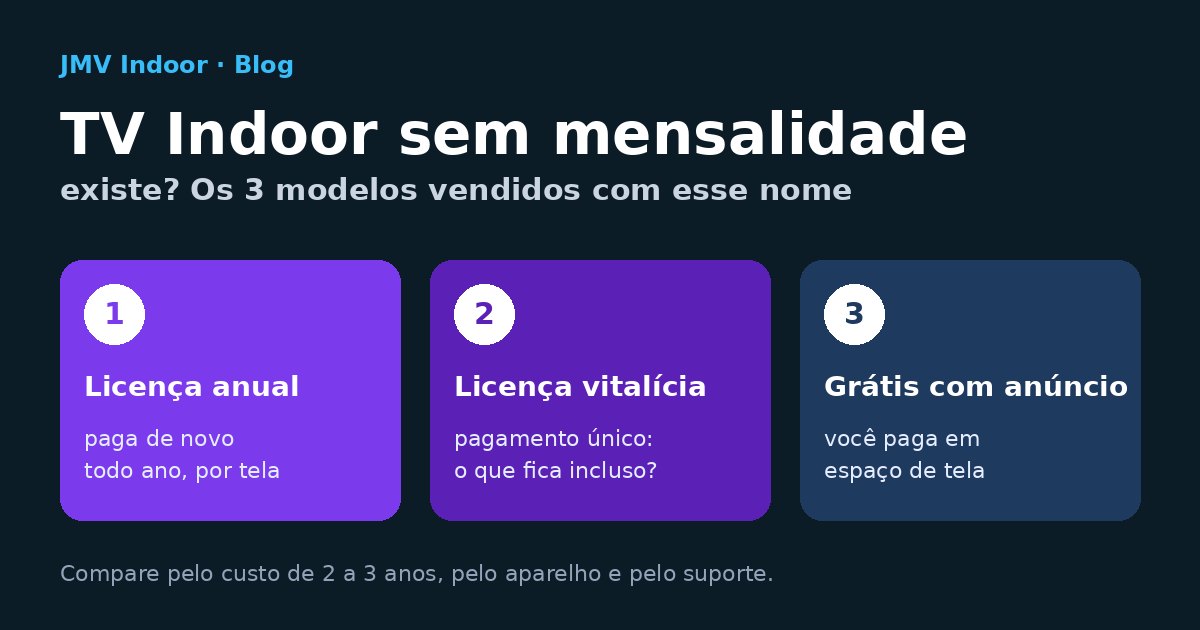
Indoor TV with no monthly fee exists, but the name describes how you are billed, not what it costs. In the public offers we checked on 15 October 2026, it shows up in three contracts: an annual license per screen (you pay again every year), a lifetime license (one-time payment) and "free" use in exchange for screen space for mandatory ad sales. To compare them, add up the cost over 2 to 3 years, the device each screen requires and what happens to support when something stops working.
"No monthly fee" is a billing method, not a price
Every Indoor TV has a cost: someone maintains the software that runs on the screen, the dashboard where you upload your videos and the server that delivers the programming. The difference between offers is in how that cost reaches you — monthly, yearly, once, or traded for space on your screen.
That is why the question "is there a monthly fee?" tells you little. The useful question is a different one: how much will I have paid three years from now, and what will I have received for it? With it, an annual plan, a lifetime license and a monthly plan all become numbers on the same ruler.
The three models sold under that name
We read the pages of the providers that show up at the top of Google for "tv indoor sem mensalidade" (Portuguese for "indoor TV with no monthly fee") on 15 October 2026. None of them publishes a price, and offers change — so the table describes models, with the offer's wording as a dated example. The offers are in Portuguese; the quotes below are our translation.
| Model | How it appears in the offer (text read on 15 October 2026) | What to ask |
|---|---|---|
| 1. Annual license per device | KX Mídia: "paying only the annual license" and, in the FAQ, "an annual license plan per device, with no recurring month-to-month fees. You pay once and use it all year." (kxmidia.com.br). Mídia Indoor App: "our digital signage app works with an annual license" (midiaindoor.app). | How much is the renewal in year 2? Is the price per screen? What stops working if I don't renew? |
| 2. Lifetime license (one-time payment) | KX Mídia, in the FAQ: "a one-time payment, lifetime license plan"; and on another page: "Work with annual or lifetime plans, with no monthly billing" and "There is also a monthly option for specific needs." (kxmidia.com.br/midia-indoor). | Lifetime for what — the software or the device? Are updates and support included forever? And when the TV's operating system updates? |
| 3. "Free" with mandatory advertising | TVS Mídia: "Free, No Monthly Fee", "Selling advertising is mandatory", "Use of a good-quality Wi-Fi network or wired internet is mandatory"; the business gets "a slot for 10 media items" and "the rest of the space will be reserved for selling advertising", split "70% to whoever made the sale and 30% to the other party" (tvsmidia.com.br). | How much of the screen stops being mine? Who picks the advertisers — could a competitor show up? Is there a minimum sales target? |
Public offers checked on 15 October 2026. We quote the text as it was published (translated from Portuguese); check the provider's page before deciding.
Model 1 — annual license: the most common "no monthly fee"
This is the model you will see most often, and the easiest one to compare the wrong way. "You pay once and use it all year" is true — and the following year you pay again. It is a recurring cost, just due yearly. The thing to watch is the renewal: if the year-two price is not in writing, two thirds of your three-year math is blank. And since it is usually per device, every new screen is a new license.
Model 2 — lifetime license: the only true one-time payment
Here you really do pay once. The question is what that once covers. A lifetime software license does not guarantee the app will keep working when the TV or TV Box gets an operating system update, nor that there will be support two years from now. If the contract says updates and support are included, great; if it doesn't, assume they are not. Keep in mind that the same provider may sell all three formats — annual, lifetime and monthly — so the question is always about the plan in your proposal.
Model 3 — free with advertising: you pay with the screen
In the free model, you pay in space. In the offer we read, the business keeps 10 of its own media items and the rest of the programming is reserved for ads, which you are required to sell. That can work if you want to turn the screen into a source of income — but the TV is no longer just yours: part of the screen time goes to brands you didn't choose on your own. If the idea is to earn from ads, run the numbers with your own screen first: side income with Indoor TV, starting with one screen shows the first step and helps you estimate what the space you would be giving up is worth.
What powers the screen: TV Box, browser or native app
Many "no monthly fee" proposals change price when you ask what needs to be plugged into the TV. On the pages we read:
- Mídia Indoor App says "all you need is an Android device (TV Box or Android TV)".
- KX Mídia works with an Android TV Box or directly in the Smart TV's browser — and, in that case, warns: "you need to open the browser manually when you turn on the TV. For it to start automatically, we recommend using a TV Box."
In practice, that means the math may include one device per screen — and replacing it when it fails — or someone on your team opening the browser every morning. Neither is a flaw; they are costs that need to show up in the comparison. The differences between a box, a dongle and a native app on the Smart TV itself are covered in Indoor TV without a box: native app or box.
The 2-to-3-year math, to fill in with your proposal
You can't compare an annual license with a monthly plan by looking at the first bill. Fill in the table below with the numbers from the proposal you received, for the same number of screens and the same period:
| Item | Model 1 — annual | Model 2 — lifetime | Model 3 — free with ads | Monthly or annual cloud plan |
|---|---|---|---|---|
| Software | year-1 license + renewal × years, per screen | one-time payment, per screen | zero in cash | plan price × months (or × years, on the annual plan) |
| Device | TV Box per screen, if required, + replacement | TV Box per screen, if required, + replacement | depends on the provider | depends on the system (check compatibility) |
| Ready-made content (news, weather) | included or extra? | included or extra? | included or extra? | included or extra? |
| Support | included, per ticket or none? | included for how long? | included, per ticket or none? | included, per ticket or none? |
| Screen given up | — | — | value of the space given up + sales target | — |
Two rules keep the math honest. First, use the same period for all of them — 24 or 36 months. Second, "I don't know" becomes a question for the provider, not a zero in the spreadsheet: if the year-two renewal is not in the proposal, ask for it in writing.
What the recurring fee pays for
If the screen keeps needing support, updates and fresh content after the sale, someone pays for it — in the monthly fee, in the renewal or nowhere at all. In the Café & Tech Podcast episode behind this article, the line that sums up the problem with "no monthly fee" without support is a short one:
"So the advantage he puts forward is that there's no monthly fee, right? Oh, nice. No monthly fee, but no support either. [And] it needs updates."Café & Tech Podcast, episode of 9 July 2025 (translated from Portuguese)
And the answer to "why does a cloud system charge every month" comes right after:
"Why does our system have a monthly fee? […] First thing, support […]. Reason two, everything is in the cloud, right? You get a cloud dashboard you can access from anywhere to manage your Indoor TV. That has a cost, and that's why we charge a monthly fee."Café & Tech Podcast, episode of 9 July 2025 (translated from Portuguese)
Setting aside the tone of someone defending their own product, the list is useful for any proposal. What a cloud system usually covers on a recurring basis:
- Human support when the screen goes dark or a video won't play.
- An online dashboard to change the programming from anywhere, on your phone or computer — see how it works in manage your Indoor TV from your phone.
- App updates when the TV's operating system changes.
- Video conversion to the screen's format: in the episode, "you upload the video, and it's already converted the way it'll work just right".
- Automatic content, such as news that drops into the programming on its own — covered in Indoor TV with automatic news.
Use the list as a checklist for a one-time license too: for each item, does the proposal say whether it is included and for how long?
Monthly or annual at JMV Indoor
To be clear about which side we are on: JMV Indoor is a cloud system with recurring billing. It doesn't sell devices — as the episode puts it: "we don't sell devices" —, the fee is for the service provided and the screen is your own Smart TV. Every plan can be paid in two ways:
- Monthly, with no lock-in.
- Yearly, with a 17% discount — you pay once every 12 months. By the market's definition, that would also count as "no monthly fee"; we prefer to call it what it is.
Prices are always up to date in the plans table, along with what each plan includes. As for the device, according to the published requirements: compatible with Samsung (Tizen), Google TV, Amazon Fire Stick, Roku TV and Roku Stick; on LG (webOS), it works on some models. Confirm your model before signing up. The HDMI alternative is an Amazon Fire TV Stick, Chromecast or Android TV Box. The list by brand is in Indoor TV app on any Smart TV.
Before paying for either one, you can try it: the 30-day free trial is activated immediately, no credit card, no payment, just a social login. That is enough time to find out whether your team will actually keep changing the programming — which, in the end, is what makes the screen worth what it costs.
8 questions before you sign
They apply to any proposal, with or without a monthly fee:
- Is the price per screen? How much for the second, the third?
- How much are year 2 and year 3? In writing.
- What stops working if I don't renew — does the screen go dark, freeze on the last video or just lose support?
- What does "lifetime" cover? Software, device, updates, support?
- Do I need a TV Box? One per screen? Who replaces it when it fails?
- Does the screen turn on by itself when the store opens, or does someone need to open a browser?
- How much of the programming is mine? Are there mandatory ads, who picks the advertisers, is there a sales target?
- How does support work and for how long is it included?
For the questions that don't depend on the billing model — what exactly the provider delivers under each market term —, see Indoor TV vs. digital signage: the difference. And for the general concept, digital signage on Wikipedia.
Frequently asked questions
Is there Indoor TV with no monthly fee?
Is an annual license the same as no monthly fee?
Is a lifetime digital signage license worth it?
Free digital signage: what is the catch?
Do I need to buy a TV Box to have Indoor TV with no monthly fee?
What does a monthly payment include that a one-time license may not?
Does JMV Indoor have an annual plan?
Is there a free Indoor TV app?
The episode excerpts, in full
The quotes come from the episode "TV Indoor em Formato Vertical: Como Lucrar Mais Usando o Layout Certo" (Vertical Indoor TV: how to profit more with the right layout), of the Café & Tech Podcast, streamed live on 9 July 2025, with Mário Sérgio, a solutions consultant at JMV Technology, and Josimar Machado. The conversation is in Portuguese; below are the excerpts translated by us from the automatic transcript, which we cleaned up and punctuated. Brackets mark what we added for readability, and ellipses in brackets mark what we cut.
What we did not take from the episode. The episode is from July 2025. Device prices mentioned live, support hours, content volume and TV market shares mentioned in the conversation were not verified and are not in this article. What the article says about JMV Indoor was checked on the website on 15 October 2026; what it says about the market offers comes from the providers' pages, read on the same date.
21:13 — the fee is for the service; the equipment is the Smart TV
32:15 — "no monthly fee, but no support either"
32:35 — why a cloud system charges a monthly fee
34:43 — the video converted to the screen's format
36:32 — the summary: what the monthly fee pays for
The full 1h00min57s episode, in Portuguese, is on JMV Technology's channel: watch the full episode on YouTube — TV Indoor em Formato Vertical: Como Lucrar Mais Usando o Layout Certo.
Want to compare it with your proposal using your own TV? Start JMV Indoor's 30-day free trial — activated immediately, no credit card, no payment, just a social login.